Seeing your organic traffic drop can be unsettling. One day, your search traffic looks healthy, and the next it’s noticeably down. This means fewer sessions, fewer leads, fewer enquiries. The immediate reaction is often panic: “Has Google penalised my site?” or “Did an algorithm update hit us?”
However, organic traffic decline is rarely caused by a single factor. The real answers live inside your data. And the fastest way to uncover them is through proper data segmentation.
In the below blog, you’ll learn:
- The most common reasons organic traffic drops
- Why rankings staying the same doesn’t always mean traffic will?
- How to segment data in GA4 and Google Search Console?
- How to diagnose the root cause and recover lost organic traffic?
Also, Read this Blog: How to Use Google Ads & Meta Ads Effectively in the Kolkata Market?
Why Is Organic Traffic Down? Understanding the Problem
Organic traffic means the visitors who arrive on your website via unpaid search results. When this traffic declines…it usually means one (or more) of the following:
- Your pages are being shown less often.
- Fewer users are clicking on your listings.
- Your site is losing visibility for important queries.
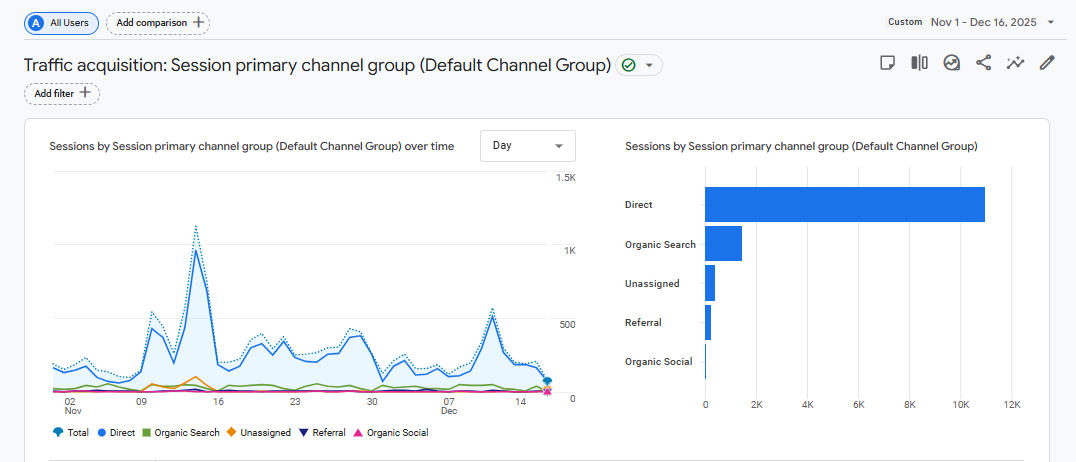
The mistake many site owners make is looking only at overall traffic numbers. A total drop doesn’t tell you where or why the loss is coming from.
This is why segmentation is of absolute importance.
Also Read this Blog : Comparison of Popular Analytics Platforms: GA4 vs. Matomo
Top Reasons that Cause Sudden Drop in Organic Traffic
Into data analysis, it helps to understand the most frequent causes of organic traffic decline.
1. Google Algorithm Updates
Core updates can reshape search results by reassessing content quality, relevance, and trust signals. A traffic drop following a confirmed update often points to:
- Thin or outdated content
- Weak EEAT signals (Experience, Expertise, Authority, Trust)
- Over-optimised or unhelpful pages
2. Technical SEO Issues
Even minor technical changes can lead to major traffic losses:
- Accidental noindex tags
- Broken internal links
- Crawl errors or server downtime
- JavaScript or rendering issues
3. Website Redesign or Content Changes
Site migrations, URL changes, or large-scale content edits often cause:
- Lost rankings due to missing redirects
- Changed page intent
- Reduced topical relevance
4. Increased Competition
Sometimes traffic drops even when nothing is “wrong”. Competitors may:
- Publish better content
- Capture featured snippets
- Improve CTR with stronger titles
Organic Traffic Down but Rankings Are the Same – Why?
This is one of the most confusing scenarios: rankings look stable, yet organic traffic is clearly down.
Here’s why it happens:
SERP Feature Expansion
Google now displays:
These features amp organic listings further down, reducing clicks even if your ranking hasn’t changed.
CTR Decline
Your page may still rank, but:
- The title or meta description is less compelling
- Search intent has shifted
- Competitors are using richer snippets
Loss of Long-Tail Queries
You might retain top keywords but lose hundreds of smaller, long-tail searches that previously drove traffic.
How to Analyse an Organic Traffic Drop Correctly
Before segmenting, set a strong analytical foundation.
Compare the Right Date Ranges
Always compare:
- Period over period (last 28 days vs previous 28 days)
- Year over year (to account for seasonality)
Use Both GA4 and Google Search Console
- GA4 shows user behaviour (sessions, engagement, conversions)
- Search Console shows visibility (impressions, clicks, CTR, queries)
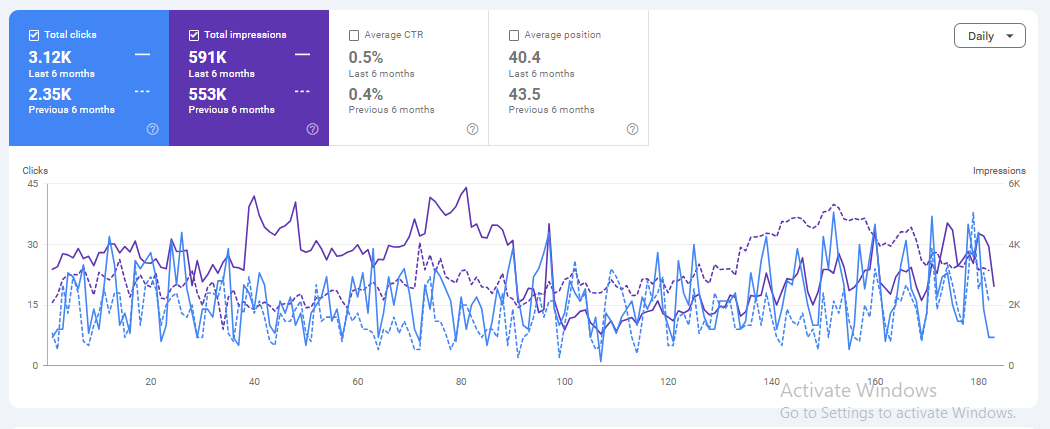
If both clicks and impressions are down, it’s a visibility issue.
If impressions are stable but clicks are down, it’s a CTR problem.
How to Segment Organic Traffic Data for Accurate Diagnosis
Segmentation turns vague traffic drops into clear insights.
Segment by Landing Pages
Identify:
- Pages that lost the most traffic
- Pages that gained traffic (often revealing intent shifts)
Ask:
- Are these blog pages, service pages, or product pages?
- Were they recently updated or neglected?
Segment by Device (Desktop vs Mobile)
Mobile traffic drops often indicate:
- Page speed issues
- Core Web Vitals failures
- Poor mobile usability
Desktop-only drops may suggest intent or competition changes.
Segment by Country or Location
Traffic declines limited to specific regions can indicate:
- Local algorithm updates
- Weakened local SEO signals
- Changes in search demand
Segment by New vs Returning Users
- New user drops often point to ranking or visibility issues
- Returning user drops may signal content or UX problems
GA4 Organic Traffic Analysis: Step-by-Step
GA4 can feel complex, but it’s powerful once segmented properly.
Step 1: Filter for Organic Traffic
Navigate to:
- Reports → Acquisition → Traffic acquisition
- Filter by Session default channel group = Organic Search
Step 2: Compare Date Ranges
Enable comparison to identify:
- Percentage change in sessions
- Engagement rate changes
Step 3: Analyse Landing Pages
Go to:
- Reports → Engagement → Landing page
Sort by traffic change to see:
- Which pages caused the drop
- Whether high-value pages were affected
Step 4: Segment by Device
Add a comparison for:
- Mobile
- Desktop
- Tablet
This often reveals issues hidden in overall numbers.
Google Search Console Segmentation for Traffic Decline
Search Console is essential for diagnosing why organic traffic is down.
Analyse Clicks vs Impressions
- Clicks down + impressions down = visibility loss
- Clicks down + impressions stable = CTR issue
Segment by Pages
Find pages with:
- The biggest click drops
- Reduced impressions
These are priority pages for optimisation.
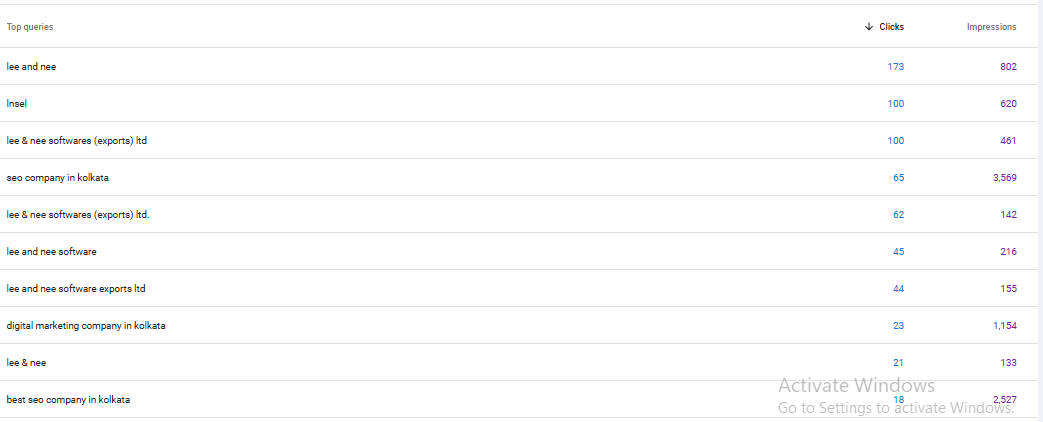
Segment by Queries
Identify:
- Keywords that lost impressions
- Queries with falling CTR
Often, updating titles, headings, and content alignment restores traffic.
Diagnosing Algorithm Update–Related Traffic Loss
If traffic drops align with known Google updates, look deeper.
Signs of Algorithm Impact
- Sudden site-wide decline
- Content-heavy pages affected more than technical pages
- Competitors replacing you with more detailed content
What Google Typically Rewards
- First-hand experience
- Original insights
- Clear authorship and trust signals
- Helpful, in-depth answers
Thin content rarely survives long-term.
How to Fix and Recover Lost Organic Traffic
Once the cause is identified, recovery becomes systematic.
Quick Wins
- Fix indexing and crawl errors
- Restore missing redirects
- Improve page titles and meta descriptions
Technical SEO Fixes
- Improve Core Web Vitals
- Resolve mobile usability issues
- Clean up internal linking
Content Optimisation
- Refresh outdated content
- Expand thin pages
- Match content more closely with search intent
Often, traffic recovery doesn’t require new content. just better content.
When to Consider an SEO Traffic Audit or Expert Help
If:
- Traffic continues to decline
- Multiple segments are affected
- You can’t isolate the cause
…it’s time for a professional SEO traffic audit.
An expert diagnosis typically includes:
- Technical SEO review
- Content quality assessment
- Competitor gap analysis
- Algorithm impact evaluation
This saves months of guesswork.
Final Thoughts:
An organic traffic drop isn’t a failure — it’s a signal.
When you stop looking at surface-level numbers and start segmenting the data, clarity emerges. You’ll see:
- What changed
- Where it changed
- Why it changed
From there, recovery becomes strategic rather than reactive.
Instead of asking “Why is organic traffic down?”, the better question becomes:
“Which part of my organic traffic is down — and what does the data tell me to fix first?”
That’s how sustainable SEO growth begins.