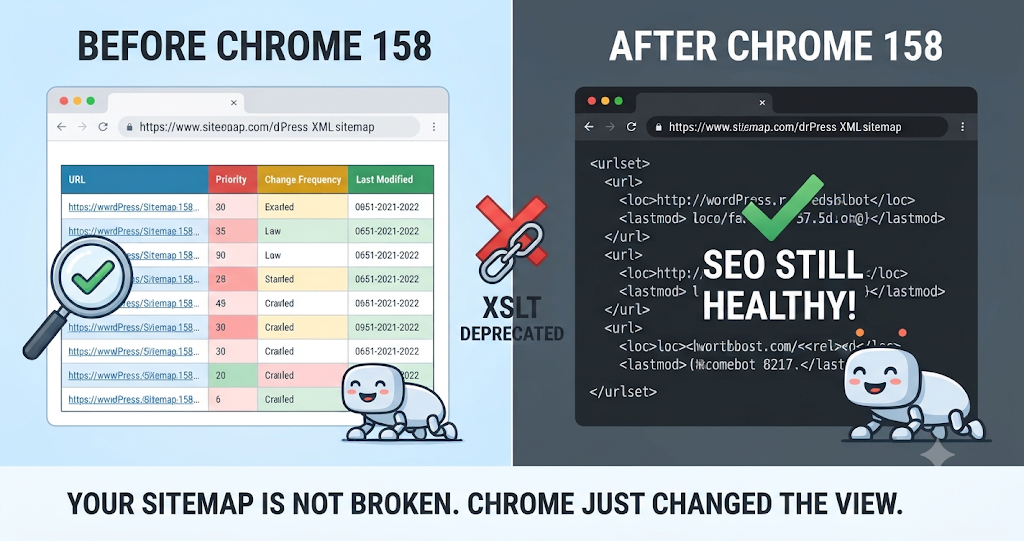
If you opened your WordPress sitemap recently and saw a plain wall of raw XML tags instead of the neat, clickable table you are used to, take a deep breath. Your sitemap is not broken.
With Chrome 158 rolling out to Stable on November 17, 2026, Google has officially removed browser support for XSLT (Extensible Stylesheet Language Transformations). Because this update landed right around the time of Google’s November 2026 core update, many website owners and business teams are getting worried when they check their sites. At Lee & Nee Softwares (Exports) Ltd, a trusted seo company in kolkata, we have been getting plenty of questions from business owners who want to know if their rankings or indexing are in trouble. The short answer: no, your SEO is completely safe.
What Actually Changed in Chrome 158?
For years, WordPress core (/wp-sitemap.xml) and popular SEO plugins used an XSL stylesheet to turn raw XML sitemap code into a clean, human-friendly table when viewed in a web browser.
Starting with Chrome 158 on November 17, 2026:
- Chrome no longer runs browser-side XSLT transformations (both the XSLT processing instruction and the XSLTProcessor JavaScript API).
- When you open /wp-sitemap.xml or /sitemap_index.xml in Chrome 158, you see raw XML tags instead of a styled table.
- Chrome may show deprecation warnings in developer tools or console logs for pages referencing .xsl stylesheets.
Why Did Chrome Remove XSLT?
Browser vendors are retiring older web technologies that are rarely needed today and carry security risks. Keeping legacy XSLT code in the browser increases the attack surface while modern web tools handle display and data much better. Other browsers are moving in a similar direction as well—Edge follows Chrome’s path, and Firefox and Safari have also indicated plans to phase out XSLT support. (Sites on approved origin trials or enterprise policies have a temporary window until Chrome 176 in August 2027, though that is only a delay, not a permanent fix.)
Does This Hurt Your SEO, Rankings, or Indexing?
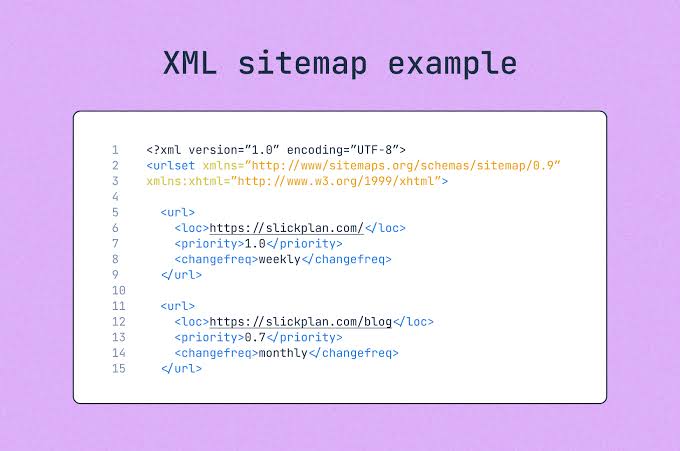
Not at all. Search engine crawlers like Googlebot do not need XSLT styling to read your sitemap. Crawlers read the underlying XML tags (<url>, <loc>, <lastmod>, etc.) directly.
The styling table was only a visual convenience for people opening the sitemap link in a browser. Your:
- Sitemap URLs remain valid.
- Discovered URLs continue to be read.
- Organic rankings and indexing are not harmed by this browser change.
The real risk right now is human panic—someone sees raw XML code during a site check or core update review and assumes something crashed or a plugin failed.
How WordPress and Popular SEO Plugins Are Handling It
Different tools are handling the transition in their own way:
- WordPress Core: Scheduled to remove its core XSLT stylesheet reference in WordPress 7.2 (planned for December 8, 2026), leaving plain XML without SEO issues.
- Yoast SEO: Moving toward pure CSS styling in Yoast SEO 28.9 to keep a clean visual table in browsers without relying on XSLT.
- Rank Math & AIOSEO: Sitemaps continue to work fine for crawlers and may display raw XML in Chrome 158 until any visual stylesheet updates are shipped.
Quick Checklist: What You Should Do Right Now
- Check Google Search Console First: Log in to Google Search Console, go to Indexing > Sitemaps, and check your submitted sitemaps. As long as the status shows Success and URLs are being read, your sitemap is doing its job.
- Avoid Panic Fixes: Do not delete your sitemap, switch off your SEO plugin, or rewrite critical setup files just because the browser view looks like code.
- Inform Your Team or Clients: If your marketing team, content editors, or clients check sitemaps manually, let them know raw XML is normal after Chrome 158.
- Use an HTML Sitemap for Human Visitors: If real visitors or team members use a sitemap page to browse sections easily, create a dedicated HTML sitemap page on your website for human navigation.
- Keep Plugins and WordPress Updated: Let standard updates roll out naturally rather than rushing risky manual workarounds.
Need Help Keeping Your Technical SEO Smooth?
Technical browser updates can easily cause confusion—especially when rankings are shifting during a search engine update. Whether you are managing a growing business website, running an e-commerce store, or auditing technical health, Lee & Nee Softwares (Exports) Ltd helps businesses stay clear of false alarms and focus on real search growth. If you are looking for a dependable seo company in kolkata to audit your site, review Search Console health, and keep your organic strategy on track, our team is ready to help.